
What is an OOH media kit and how to create yours — and why the static media kit is already falling behind
Your media kit is your outdoor media company's storefront. But a PDF with photos and a rate card doesn't show real-time availability, live traffic on the street in front of your billboard, or when that point will be free next. See what an OOH media kit needs to include — and what changes when it becomes a live extension of your inventory.
· Hivestr · 141 views
What is an OOH media kit — and why yours is probably
already out of date
Your media kit is your outdoor media company's storefront — the document an agency opens when they want to know what you have available, where your points are, what they cost, and when they can go live. For years, that meant a well-formatted PDF with photos, a static map, and a rate card. It still works. But it's falling behind.
The problem with the PDF isn't the design. It's that it gets stale the moment you send it. A point that was available when you built the kit may be booked now. The price you listed may have changed. The photo may not be the most recent. And the agency has no way to know — they're looking at a snapshot of the past and making buying decisions based on it.
In this article, we explain what an OOH media kit is, what it needs to include, how to create one — and what changes when the media kit stops being a file and becomes a live extension of your inventory.
What an OOH media kit actually is
An OOH media kit is a presentation of an outdoor media operator's inventory. It compiles, in an organized way, everything an agency or advertiser needs to evaluate and buy media space: which points are available, where they are, what formats they come in, what they cost, who the audience is at each point, and when the space can go live.
In practical terms, the media kit is your company's product catalog. It replaces the call that goes "do you have anything available in Dallas next week?" — because the agency can check on their own, whenever they need, without depending on a salesperson to answer.
What every OOH media kit needs to include
Regardless of format — PDF, web page, or interactive platform — a quality media kit needs to answer the questions every agency asks before buying:
The problem with the static media kit
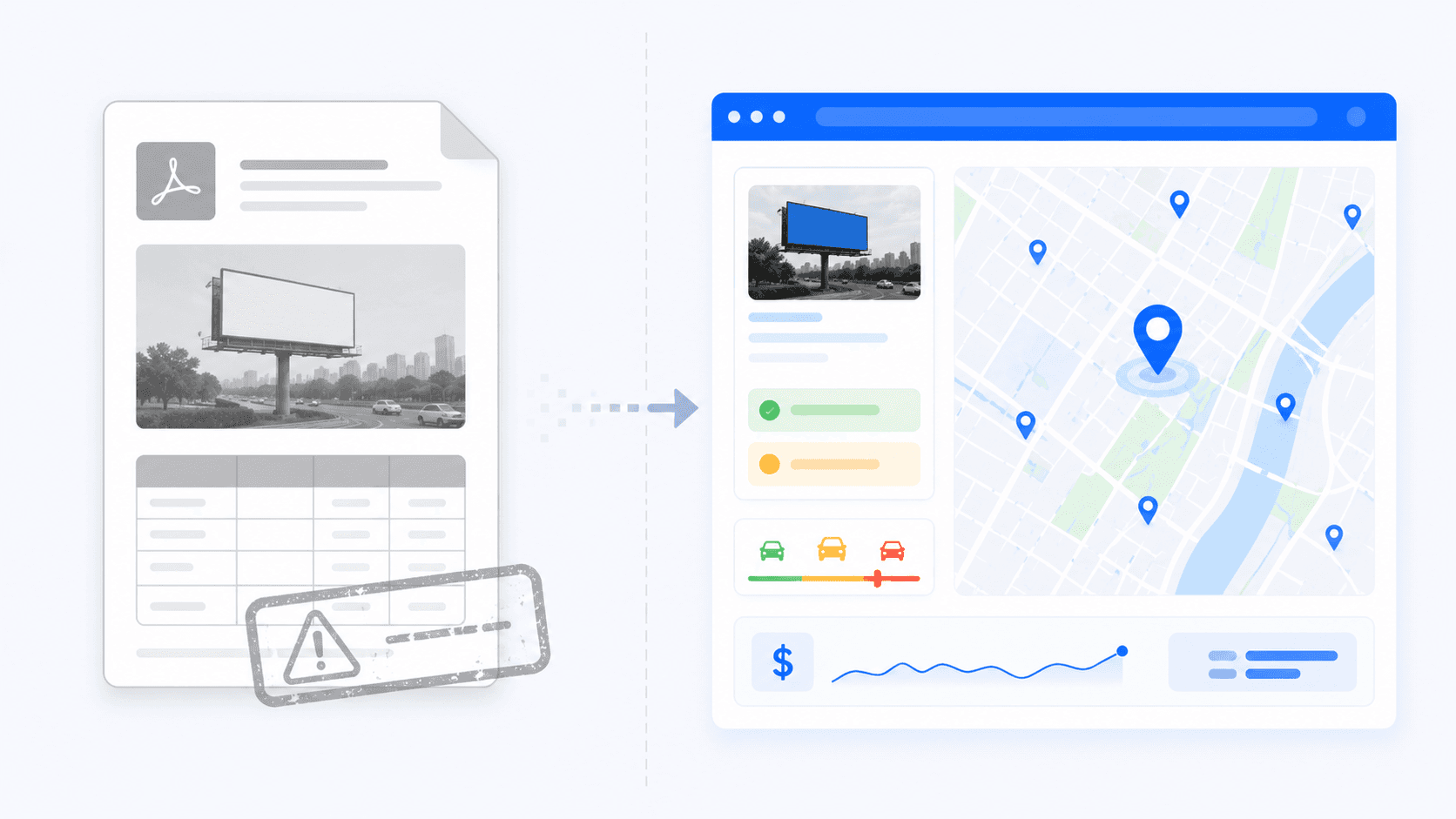
A well-made PDF is still better than nothing. But it has a structural limitation no design update can fix: it represents your inventory at a single point in time.
Stale availability
You build the media kit in January with 40 available points. By March, 15 of them have been sold. An agency downloads the PDF in April and sees 40 points — 15 of which no longer exist as options. They request a proposal for booked points, you have to explain, the process stalls, and trust erodes.
Prices that go out of date
Rate increase in July. The media kit PDF gets updated — but how many old versions are still saved in agency email threads, media buyer Google Drives, and planning spreadsheets? You have no control over that.
No intelligence about the surrounding context
The agency wants to know if the street in front of the billboard gets congested during peak hours. Whether there's construction on the sidewalk blocking visibility. Whether the neighborhood has shifted demographic profile in recent months. A PDF can't answer that — and your salesperson often doesn't know either.
No access analytics
How many agencies opened your media kit? Which points got the most views? Which markets spark the most interest? With a PDF, you don't know. You're broadcasting information without receiving any back.
What a live media kit is — and what it changes
A live media kit is an online page or platform that reflects the current state of your inventory in real time. It's not a web version of the PDF — it's a direct connection to your operational data.
In practice, this means that when a point is sold in your management system, it automatically shows as booked in the media kit — without you updating anything. When the period ends and the point becomes free, it returns to availability on its own. When you adjust the rate card, the media kit already shows the new price.
It's a window into your inventory.
What Hivestr's live media kit shows in real time:
Live information per point
- Current availability — free, booked, or with a confirmed future reservation
- Next available window — "free from Aug 15"
- Geolocated position on an interactive map
- Real, up-to-date photo of the point and its surroundings
- Rate card price updated automatically
- Live traffic congestion level on the street in front of the billboard
- Technical specs: format, dimensions, lighting, faces
- Market, neighborhood, and area profile
The agency opens the media kit, sees the points available in the period they need, checks the street traffic, reviews the price, and requests a proposal — all without having to call your salesperson. Your inventory works for you 24 hours a day.
Real-time traffic: the data point that changes the conversation with agencies
One of the most underused advantages in outdoor media is traffic data. Every agency wants to know how many people pass a given point — but few operators can answer with real precision.
Hivestr's live media kit integrates real-time congestion data for the street in front of each billboard. This means the agency can see, at the moment they're planning the campaign, whether that avenue has heavy flow during business hours, whether there's a traffic peak at end of day, whether the street has construction reducing visibility.
That data transforms the sales conversation. Instead of "this billboard is on a busy avenue," you show: "this avenue has high congestion levels from 7am to 7pm on weekdays." Numbers sell more than adjectives.
Static media kit vs. live media kit: direct comparison
| Criteria | PDF / static media kit | Live media kit (Hivestr) |
|---|---|---|
| Point availability | ✗ Manual, goes stale | ✓ Real time, automatic |
| Next available window | ✗ Not shown | ✓ Displayed automatically |
| Up-to-date pricing | ✗ Old versions circulate | ✓ Always current rate |
| Interactive geolocated map | ✗ Static image | ✓ Interactive map with pins |
| Live street traffic data | ✗ Not available | ✓ Real-time congestion level |
| Accessible 24h without a salesperson | ✗ Requires sending | ✓ Always-on public link |
| Analytics on who accessed it | ✗ None | ✓ Most-viewed points visible |
| Embeddable on your website | ✗ No | ✓ Widget or dedicated page |
| Updates when a point is sold | ✗ Manual | ✓ Automatic |
| Shareable via link | Email attachment | ✓ Direct link, always current |
How to create your OOH media kit — step by step
1. Register your inventory with quality data
A media kit is only as good as the data that feeds it. For each point, you need: full address and GPS coordinates, quality photos of the point and its surroundings, technical specs (format, dimensions, lighting), current rate card pricing, and traffic or audience data for the location.
If you have this data in a management system like Hivestr, the media kit builds itself automatically from what's already registered. If you don't, start with the inventory — the media kit is the output of well-maintained data.
2. Organize by market and format
Agencies rarely want to see your entire inventory at once. They want to filter by city, by neighborhood, by format (billboard, LED, street furniture), by price range, or by availability in a specific period. The media kit needs to be navigable — not a 200-point list with no filter.
3. Include audience data and context
Price and location are table stakes. What sets a good media kit apart is context: who is the audience passing that point? Is it a route leading to a shopping mall? Near a school or hospital? Is the surrounding area commercial or residential? This data helps the agency justify the buy to their client.
4. Make it accessible without friction
The media kit needs to be one click away — on your website, in your Instagram bio, in your email footer. If the agency has to request the media kit via WhatsApp, wait for you to send the PDF, and then can't open it on mobile, you've already lost the first step.
5. Keep it current — or automate the updates
An outdated media kit is worse than no media kit — because it creates wrong expectations. If you use an integrated management system, updates are automatic: point sold, drops out of availability. Point freed, goes back live. If it's a PDF, set a monthly update cadence at minimum.
The media kit as a passive sales tool
A well-built, accessible media kit is the best salesperson you can have — because it works when your team isn't. An agency in New York might be researching outdoor media options in Austin at 10pm on a Friday. If your media kit is live, they find it. If it's a PDF they have to request, you've missed the window.
In the live model, you also get intelligence back: which points were most viewed, which markets attract the most attention, which price ranges get the most consultation. That informs pricing decisions, inventory expansion, and commercial strategy — data a PDF will never give you.
Conclusion: the media kit agencies actually want to consult
The OOH media kit has evolved. Not because the PDF is bad — but because the market has become more demanding. Agencies and advertisers want real availability, not estimated. They want to see the map, not imagine the location. They want to know if the street is congested, not hear "it's on a busy avenue." They want the current price, not last quarter's.
A live media kit, connected to your inventory and accessible via link, isn't a long-term competitive advantage — it's the new baseline. Operators still using PDFs are delivering a 2015 experience in a market that already runs in real time.
The live media kit shows what you have right now.
Create your live media kit with Hivestr
Your inventory online, with real-time availability, interactive map, and live street traffic data. Try free for 7 days.
Create free account →Your media company's whole operation
Inventory, proposals with online approval, CRM, campaigns, proof of posting and finance in one account. 7 days free to try.
Subscribe to the Hivestr newsletter
Get tips, OOH/DOOH industry news, and Hivestr content straight to your inbox.